Seedream 5.5 features
Seedream 5.5 features, laid out brief by brief
Listings, slides, game concepts, and ad posters, with the check to run on each result and the single edit that usually rescues it. Create in Seedream 5.5 AI Image Generator when you are ready.

How it works
How Seedream 5.5 fits a multi-engine studio
This guide teaches a portable loop you can reuse when you compare engines in the Nano Banana Pro studio: brief, lock, review, one change. It follows Seedream 5.5 use cases from first brief to final frame. If you are new to the loop, start with text-only briefs until the review checklist feels natural, then add references, and only then take on briefs that lock several elements at once.
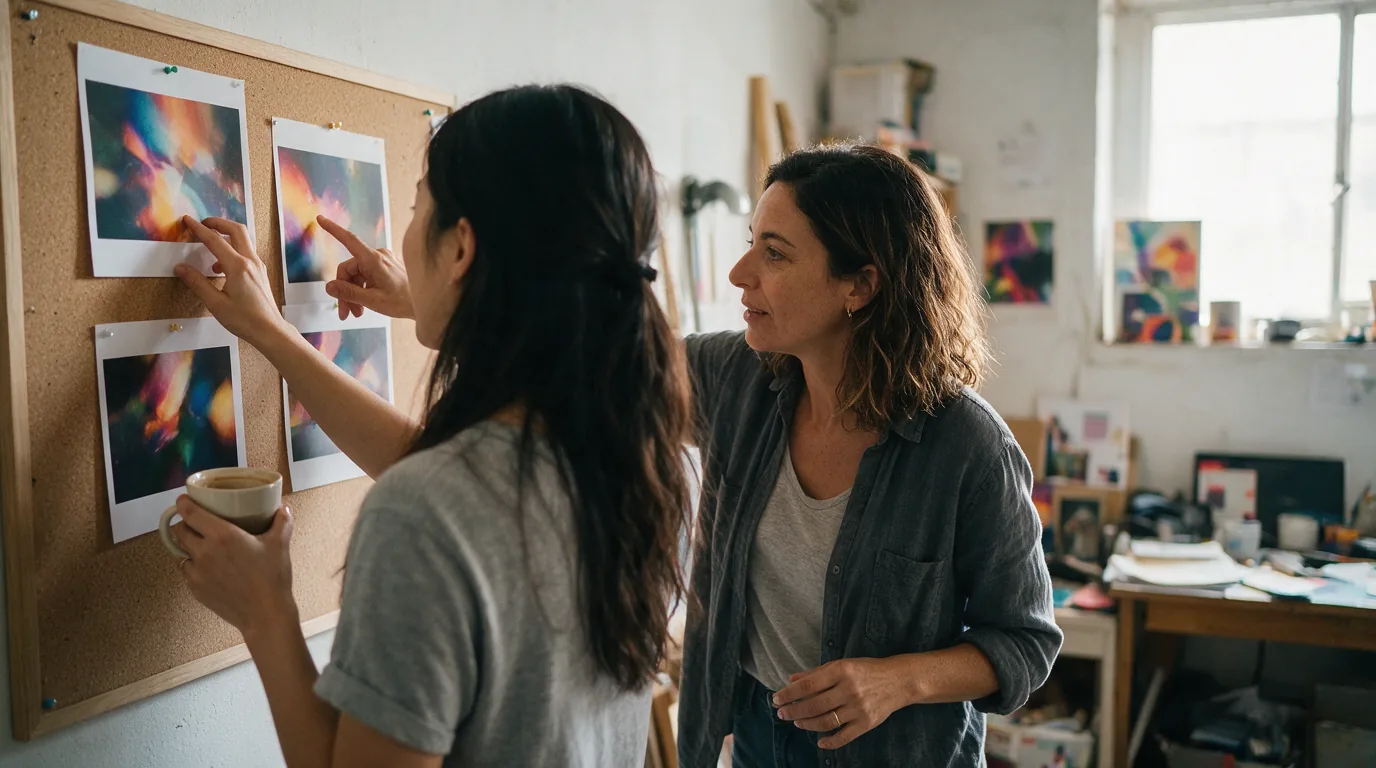
Brief before engine choice
Write the visual decisions first. Then pick the generator or another labeled model.
Reference locks per engine
Restate what stays when you switch tools, because each engine reads references on its own.
Review checklist
Hierarchy, framing, light, clutter. Same checklist every pass.
Single-edit rescue
Most weak frames need one fix, not a full rewrite.
Named crosslinks
When you need Nano Banana Pro, Seedream 5.0 Pro, Flash, or layers, open those pages by name.
Core features
Seedream 5.5 features you will actually use
Six practices for briefs that move between tools in the studio. Each one is something you can try in the generator within a few passes.
Prompt-led composition
Subject first, then scene and light, so review has a target.
Reference-guided identity
Hold product or outfit while you change backdrop or light.
One-change refine
Circle the failure, edit that line, compare contact sheets mentally.
Placement-first ratios
Choose square, wide, or tall before composition.
Copy-space planning
Leave room for headlines and prices when ads or slides need type.
Engine-aware related links
Jump to Nano Banana Pro or Seedream 5.0 pages by name when a brief needs their strengths.
Use cases
Use cases
Order in the studio: product, ads, slides, game. Each scenario lists the check and the usual single edit. Product and ads come first because catalog and campaign work make up most of the studio's output, with slides and game concepts following.
Product listings
- Who it is for
Catalog and marketplace teams in the studio.
- What this team asks for
Clean subject, honest materials, badge space.
- Typical images
Square tiles, lifestyle placements with locked product geometry.
- Workflow
Brief product. Attach packaging reference if needed. Generate. Check silhouette and specular. Fix one issue.
- Decision tips
If Nano Banana Pro nails text on pack and Seedream 5.5 nails scene, keep both trials labeled.

Ad posters
- Who it is for
Growth and brand designers.
- What this team asks for
Focal subject, restricted palette, headline space.
- Typical images
Tall posters and square social keys.
- Workflow
Brief the offer without inventing proof claims. Plan negative space. Review hierarchy. Refine crop or light only.
- Decision tips
Add real type in design tools when readability matters.
Slides and reports
- Who it is for
Operators and educators.
- What this team asks for
One idea per frame with title room.
- Typical images
Widescreen openers and simple scene illustrations.
- Workflow
Brief the idea. Set widescreen. Remove competing props on refine.
- Decision tips
If the frame needs dense labels, try the Seedream 5.0 Pro page workflow.

Game concepts
- Who it is for
Indie and prototype teams.
- What this team asks for
Readable silhouette and costume logic.
- Typical images
Character moments and environment keys as stills.
- Workflow
Brief role and beat. Lock face or costume. Refine one costume decision.
- Decision tips
No third-party IP. Keep concepts original.
Why this page
Why a use-case guide helps in a multi-engine studio
With several engines under one roof, a clear use-case guide saves time. This one covers Seedream 5.5, and Nano Banana Pro keeps its own pages.
Working beside Nano Banana Pro
Assume you may A/B the same brief in Nano Banana Pro. Keep filenames that name the engine, for example sneaker-nbp-v1 and sneaker-s55-v1, and judge both with the same checklist: subject, framing, light, clutter. Keep the engine whose first pass needs fewer fixes for that brief. If a Gemini-related strength matters, read about it on the Nano Banana Pro page. If a Seedream brief loop matters, stay with Seedream 5.5 AI Image Generator.
Why edit discipline pays off
In a studio, time goes into the second and third pass, not the first. One change per pass sounds slow, but it is the shortest route. Every version has a reason, teammates see at once what changed and why, and feedback only needs to point at the first check that failed. New teammates become productive as soon as they learn the rhythm, without memorizing prompt tricks.
For teams that report to a client or a manager, a clean version trail is an argument in itself. You can walk from the first pass to the final frame and explain each decision. When new feedback arrives, you resume from the matching pass instead of starting over.
A test brief for comparing engines
Keep one fixed test brief, such as a white-background product tile plus a poster with headline space. Run it in both engines whenever a new project starts. After a few rounds the team gets a feel for how each engine responds, and choosing becomes easier.
Before you deliver
Run one last check of subject, framing, light, and clutter. It takes a minute and catches most slips: an extra finger, a shifted label, a stray line of text. Name concrete materials and places in the brief, and feedback stays concrete too.
A note on series work
When a project needs several frames, such as a product set and a matching poster, finish the hardest frame first and use it as the reference for the rest. Light, palette, and mood stay close across the set, and later rounds only need to look at what was swapped.
Sharing results with a client
Send two or three labeled options rather than ten loose variations. Explain in one line what each option changes, and ask the client to pick by that line. Decisions come faster, and the next brief starts from a choice everyone understood.
Localizing a campaign
Markets in Jakarta, Madrid, and Warsaw may want the same hero product with different street furniture, weather, and signage. Lock the product, then vary the city cues one per pass: tram lines, tiled pavements, palm shade, or snowy kerbs. Ask a local colleague to confirm that nothing looks out of place before publishing.
Archiving finished work
Store every approved frame alongside its brief, engine label, aspect ratio, and date in one shared folder. Months later, when a sequel campaign arrives, anyone can reopen the archive, find the closest earlier result, and begin from there.
Fashion drops
Apparel labels launching a capsule often need flat lays, mannequin crops, and street looks within days. Lock the garment, then vary pose, pavement, and daylight separately. Hemlines, buttons, and stitching are the details buyers zoom into, so inspect them at full resolution before anything goes live.
FAQ
Seedream 5.5 questions
Scoped to Seedream 5.5 features on Nano Banana Pro.
Ship listings, ads, slides, and game concepts with the generator using brief, lock, review, and one change.
Different pages and jobs. This guide is brief-to-frame use cases. Open Seedream 5.0 Pro for that page's workflow.
Run the same brief in both when unsure. Keep the engine that needs fewer fixes for that brief.
No. Gemini 3 Pro Image is described as the basis of Nano Banana Pro on that product's pages. Seedream 5.5 is a separate Seedream model.
Start your next brief with Seedream 5.5
Open Seedream 5.5 AI Image Generator and refine one decision at a time.